


Chime® – Fee-Free Banking
4.7239.01K Reviews
App Specs
- Version
- 5.332.0
- Updated On
- License
- Free
- Downloads
- 10,000,000+
- Developer
- Chime
- Categories
- Finance
- Platform
- Android, iOS
Screenshots
 Analysis by AppCompare
I judge a banking app by what happens between payday and the next bill, not by how polished its opening screen looks. In that everyday stretch, Chime – Mobile Banking is most useful when I want to check incoming money, keep an eye on spending, and handle routine account tasks from my phone. It’s a finance app from Chime, and its appeal is straightforward: less reliance on branch visits, with no monthly fee and tools aimed at making cash flow easier to manage.
The practical question is whether that digital-first approach fits your whole routine. If you mainly need an app for everyday banking, it can be a comfortable fit. If your finances depend on in-person help or a broad set of traditional banking services, I’d compare it carefully with the bank you already use before making it your main account.
Following money from payday to everyday spending
I find it helpful to begin with the purpose of the account: receiving pay, managing everyday purchases, and keeping upcoming bills in view. That starting point makes it easier to judge whether a phone-centered banking routine will actually simplify your week, rather than adding another place to check. From there, I’d follow each handoff from deposit to spending and see where the app fits naturally.
Start with the job you need the account to do
Before opening any banking account, I’d list the tasks I actually do: receive pay, pay routine expenses, check transactions, and set aside some money when I can. Chime makes the most sense when those tasks can be handled digitally. It is free to download, rated for Everyone, and has a 4.7 average from around 964,000 ratings; that level of popularity is reassuring, but it doesn’t tell me whether its service model suits a particular person.
Chime launched in 2014, and the app’s current version is 5.305.0, for devices running version 10 or later. It has over 10 million installs. I’d treat those details as context rather than a guarantee: what matters more is whether you’re comfortable using a phone as your main point of contact for banking and whether the features match your pay and spending habits.
Move from incoming pay to a usable balance
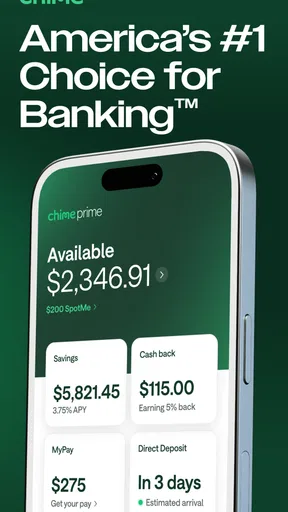
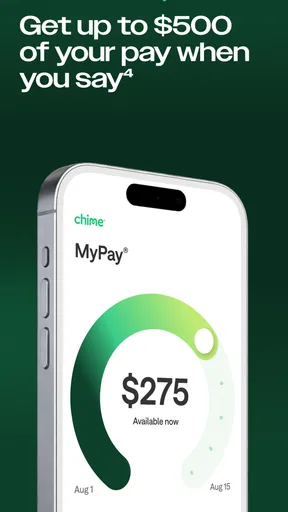
Once an account is set up, direct deposit is the handoff that makes the early-payday feature relevant. Chime can make qualifying pay available up to two days early, which may help when a bill lands before a conventional payday. I wouldn’t build a budget around money arriving early every time; it’s safer to plan from your normal pay schedule and treat earlier access as a possible cushion rather than extra income.
For example, imagine I’m paid on a regular schedule and have a utility bill due near the end of the month. I can check the account activity in the app, see when pay arrives, and decide how much is safe to leave available for the bill before spending elsewhere. That simple sequence—deposit, review, reserve, spend—is more valuable to me than a flashy balance screen because it connects the app to a real decision.
Worth Reading Before You Choose

Baby Panda World Brings Quick Play to Modern Phones, but Its Game Library Feels Busy

ESPN’s Live Game View Makes Following Close Games Easier

QuizzLand Review: A Good Fit for Short Trivia Breaks, Not Every Player

Basketball Stars: Multiplayer Is Fast, but Can It Recover When Matches Go Wrong?

WEBTOON Turns Phone Updates Into a Better Reading Routine

Link to Windows Runs on Shared Habits, Not Social Feeds
Use small routines, not wishful budgeting
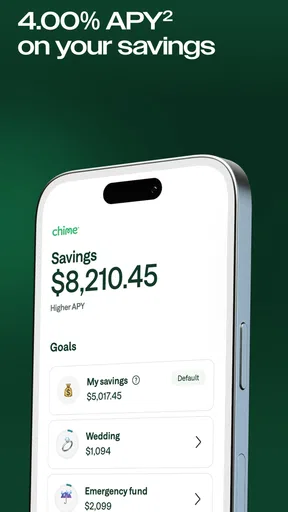
The original article’s automatic-savings description points to a useful habit: small amounts can accumulate without a separate manual transfer each time. I’d still check how the available savings tools behave in my own account and make sure automatic saving won’t leave too little for upcoming essentials. A roundup is best treated as a gentle nudge, not a substitute for choosing a realistic savings target.
One practical approach is to review transactions after a few days of ordinary spending, then decide whether an automatic saving routine feels comfortable. If it makes the balance harder to manage, I would pause or adjust the habit rather than forcing it. The value is not the tiny transfer by itself; it’s that the app can make saving part of a repeatable routine.
When the card and the app work together
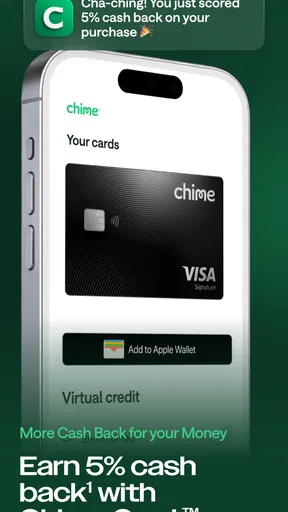
For day-to-day purchases, seeing transactions in the same place as the account balance can help me catch a charge I don’t recognize or notice that a planned payment is approaching. If a card goes missing, the ability to disable transactions in the app is a practical first step. I’d use it promptly, then follow the account’s support process to work out what to do next; switching off card activity is a safeguard, not a replacement for reporting a lost card.
This kind of handoff matters when I’m away from home. If I’m shopping and realize the card isn’t in my wallet, being able to act from the phone is more useful than having to wait until I can reach a branch. At the same time, a phone-based control only helps if I can access the app, so I’d keep account recovery details current and know how to contact support before an urgent moment.
Where a digital-first flow can stall
Chime’s main trade-off is also the reason some people will like it: routine banking is designed around the app, not a branch counter. If I need face-to-face assistance, want to discuss a complicated situation in person, or rely on services beyond everyday account management, a traditional bank may be a better fit. Digital convenience is not the same thing as having every kind of help available in the way I prefer.
Fee-free overdraft can be helpful as a short-term buffer, but I would not treat it as a regular way to stretch a budget. Before relying on it, I’d read the current in-app terms and understand how eligibility and limits apply to my account. The same cautious approach applies to early pay: it can improve timing, but it cannot fix a gap between income and spending on its own.
How it compares with other banking choices
Compared with a conventional bank app, Chime puts the emphasis on handling common tasks digitally and avoiding a monthly fee. A traditional bank may be preferable if branch access, a wider range of services, or an established in-person relationship is central to your needs. Compared with a basic budgeting app, Chime is not merely a place to categorize money: it is intended to be part of the banking flow, from receiving funds to managing everyday use.
I’d also avoid choosing solely by a headline feature. Early access to pay is only useful if your employer’s deposit timing and your bills make it useful; automatic saving only helps if the transfers fit your cash flow. If you already have a bank account that handles deposits reliably and offers the support you value, switching everything at once may add friction without solving a real problem. Trying the app for the tasks you want to move first is a more sensible way to judge the fit.
Who is likely to get the most from it?
I’d consider Chime if I wanted a straightforward mobile account for routine spending, preferred to avoid a monthly account fee, and was comfortable resolving most banking tasks through a phone. It may also suit someone who wants to make saving feel more automatic or who values the possibility of accessing direct-deposited pay early. Those benefits are most meaningful when they support a stable plan rather than encourage spending ahead of schedule.
I’d be more cautious if I regularly need in-person service, want a broad traditional banking relationship, or cannot afford to have a payment delayed while I learn a new account’s workflow. People who depend on cash-heavy routines should think through how deposits and withdrawals will work for them before making a switch. The right choice depends less on the app’s popularity than on whether its digital process fits the way money reaches and leaves your account.
Seamless Setup and User Experience
First things first, getting started with Chime – Mobile Banking is a breeze. Signing up is straightforward, and you don’t have to jump through hoops to get your account up and running. The app's interface is sleek and user-friendly, making navigation a piece of cake. I’ve been around the app block more times than I can count, and Chime’s design definitely earns a gold star for simplicity.
Features That Stand Out
Now, let’s talk features. Chime isn’t just about the basics like checking your balance or viewing transactions. It’s packed with goodies that make managing your cash flow a whole lot easier. One of my personal favorites? The automatic savings feature. Every time you spend, Chime rounds up the transaction and stashes the difference into your savings account. It's a sneaky way to boost your savings without even trying.
Another cool feature is the early direct deposit. If you’re tired of waiting for payday, Chime lets you access your paycheck up to two days early. Trust me, this can be a lifesaver when bills are knocking at your door.
Security and Support
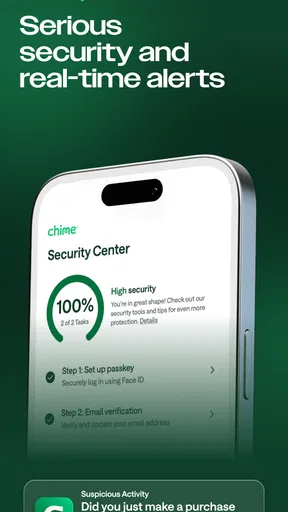
Of course, no review would be complete without talking about security. Chime takes your security seriously, using encryption to protect your data. And if you ever misplace your card, you can easily disable transactions right from the app. It’s all about giving you peace of mind, and who doesn’t want that?
If you ever hit a snag, their customer support is just a tap away. I’ve had my fair share of experiences with customer service, and Chime’s team is responsive and helpful, which is always a huge plus in my book.
Drawbacks? Not Many
No app is perfect, and while Chime is pretty fantastic, it’s worth mentioning that it’s a bit limited in terms of in-person support since it’s all digital. But if you’re like me and do most of your banking online anyway, this shouldn’t be a dealbreaker.
Also, while the app is fee-free, some users might miss the variety of services offered by traditional banks. But for everyday banking needs, Chime covers the essentials quite well.
In a nutshell, Chime – Mobile Banking is a great choice if you’re looking for a digital-first banking experience that’s easy to use and packed with features. Whether you’re looking to save more or just want a hassle-free way to manage your money, Chime could be your new financial BFF. So, ready to give it a whirl?
Pros
- User-friendly interface for easy navigation.
- No hidden fees to worry about.
- Instant transaction alerts for security.
- Early direct deposit feature available.
- Seamless integration with other financial apps.
Cons
- Limited cash deposit options available.
- No physical branches for in-person support.
- Some features require strong internet connection.
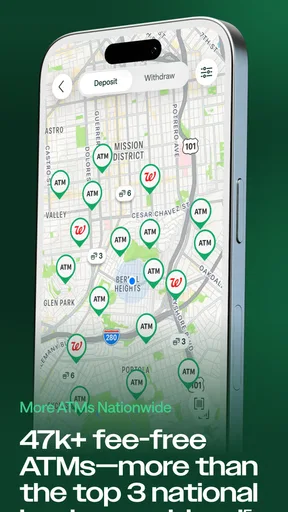
- ATM network can be limited in certain areas.
- International transactions may incur fees.
FAQs for Chime® – Fee-Free Banking
What is Chime, and how does it work?
Chime is a mobile banking app designed to simplify personal finance by providing essential banking services directly from your smartphone. It offers features like no-fee checking accounts, automatic savings, and early direct deposits. Users can manage their finances with ease, all without the need for a traditional bank branch.
Are there any fees associated with using Chime?
Chime prides itself on being a fee-free banking option. There are no monthly maintenance fees, no overdraft fees, and no minimum balance requirements. However, users should be aware of potential fees for out-of-network ATM usage and foreign transactions, which are standard for most banking services.
How secure is my money with Chime?
Chime takes security seriously, employing advanced encryption and security protocols to protect user data. Additionally, Chime accounts are insured by the FDIC up to $250,000 through its banking partners. Users can also enable features like two-factor authentication for added security.
Can I deposit cash or checks with Chime?
Yes, Chime allows for mobile check deposits via its app by taking a photo of the check. For cash deposits, users can visit participating retail locations like Walgreens or CVS, where a Chime Visa Debit Card can be used to deposit cash directly into the account.
What happens if I lose my Chime Visa Debit Card?
If you lose your Chime Visa Debit Card, you can easily disable transactions through the Chime app to prevent unauthorized use. You can then order a replacement card directly from the app, which typically arrives within a week. Meanwhile, you can still access your account and perform transactions via the app.


